
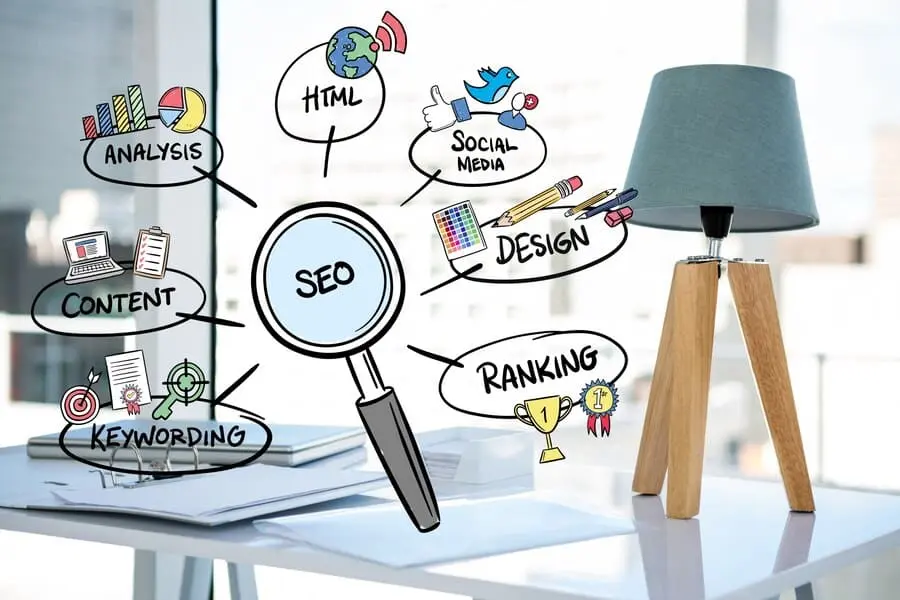
Optimizing your website for search engines can be done effectively, even without plugins. WordPress SEO services can guide you in improving your site’s performance by focusing on keyword optimization, meta tags, and site structure. Waterbox Media will walk you through the steps to enhance your WordPress SEO without plugin solutions, ensuring your site ranks higher in search results.
Understanding Essential WordPress SEO Tasks: Keywords and Other SEO Features
Search engine optimization (SEO) plays a crucial role in boosting the visibility of WordPress sites. High rankings on search engine results pages often stem from effective SEO practices, not from WordPress SEO Plugins.
Keyword Research
Effective keyword research forms the foundation of successful SEO strategies. Identifying the right keywords attracts the right audience to your site.
Identifying Target Keywords
Target keywords serve as the primary search terms that potential visitors use. You must identify these keywords to align your content with user intent. Tools like Google Keyword Planner offer insights into popular search terms. You can analyze search volume and competition levels for each keyword. This analysis helps in selecting the most effective keywords for your content.
Using Long-Tail Keywords
Long-tail keywords consist of three or more words. These keywords target specific search queries. You should incorporate long-tail keywords to capture niche audiences. Long-tail keywords often face less competition. This characteristic makes them easier to rank for. You can use tools like Ubersuggest to find relevant long-tail keywords. Integrating these keywords into your content enhances search visibility.
On-Page SEO Techniques
On-page SEO involves optimizing individual web pages. This optimization improves search engine rankings and drives organic traffic.
Crafting SEO-Friendly Titles
SEO-friendly titles play a vital role in attracting clicks. You should create titles that include target keywords. Titles should be concise and descriptive. A compelling title encourages users to click on your link. You can use headline analyzers to evaluate the effectiveness of your titles. These tools provide suggestions for improving title quality.
Optimizing Meta Descriptions
Meta descriptions summarize the content of a page. You must optimize meta descriptions to improve click-through rates. A well-crafted meta description includes target keywords. The description should be engaging and informative. You can use action-oriented language to encourage clicks. Search engines often display meta descriptions in search results. An optimized meta description enhances your site’s visibility.
Content Optimization
Content optimization ensures that your website’s content aligns with SEO standards. High-quality content improves user engagement and search engine rankings.
Importance of Quality Content
Quality content serves as the backbone of successful SEO. You should focus on creating valuable and informative content. Content should address the needs and interests of your audience. High-quality content encourages users to spend more time on your site. This increased engagement signals search engines to improve your rankings. You can use content analysis tools to evaluate the quality of your content.
Structuring Content for Readability
Readability plays a crucial role in user experience. You must structure your content to enhance readability. Short paragraphs and bullet points improve content organization. Headings and subheadings guide readers through your content. You can use tools like Hemingway Editor to assess readability scores. Improving readability ensures that users can easily digest your content.
To learn about effective ways to use keywords in WordPress, check out our article “How to Use SEO Keywords in WordPress: Elevate Your WordPress Strategy.”
Technical SEO Without Plugins: Website Speed, XML Sitemap
Technical SEO enhances site performance and improves search engine rankings. Implementing technical SEO strategies without plugins empowers users to take full control of their website’s functionality.
Improving Site Speed
Site speed directly impacts user experience and search engine rankings. Faster sites retain visitors better. Users can implement several strategies to enhance site speed.
Image Optimization
Images often contribute significantly to page load times. Optimizing images reduces file sizes without sacrificing quality. Use tools like TinyPNG or ImageOptim to compress images before uploading.
- Choose the right format for images. JPEG works well for photographs, while PNG suits graphics with fewer colors.
- Utilize descriptive file names and alt text. This practice improves accessibility and provides context to search engines.
Leveraging Browser Caching
Browser caching allows browsers to store copies of files. This storage reduces load times for returning visitors. Users can configure caching settings through the .htaccess file.
- Add cache-control headers to specify how long browsers should store files.
- Set expiration dates for different file types. This action ensures that browsers retrieve updated files when necessary.
Mobile Optimization
Mobile optimization ensures that websites function well on mobile devices. A significant portion of web traffic comes from mobile users. Prioritizing mobile optimization enhances user experience and boosts search rankings.
Responsive Design
Responsive design adapts website layouts to various screen sizes. This adaptability improves usability across devices. Users can achieve responsive design by utilizing CSS media queries.
- Test layouts on different devices to ensure proper display.
- Avoid using fixed-width elements that may cause layout issues on smaller screens.
Testing Mobile Usability
Regularly testing mobile usability identifies potential issues. Google offers a Mobile-Friendly Test tool to evaluate site performance on mobile devices.
- Address any identified problems promptly.
- Optimize touch elements to enhance navigation. Ensure buttons and links are easy to tap.
Secure and Accessible Website
A secure and accessible website builds trust with users. Security measures protect sensitive information. Accessibility ensures that all users can navigate the site effectively.
Implementing HTTPS
HTTPS secures data exchanged between users and the website. Transitioning to HTTPS enhances security and improves search engine rankings. Users can obtain an SSL certificate from various providers.
- Update internal links to use HTTPS.
- Redirect HTTP traffic to HTTPS to prevent mixed content issues.
Creating an XML Sitemap
An XML sitemap helps search engines discover and index website pages efficiently. Users can create an XML sitemap manually or through online generators.
- Submit the sitemap to Google Search Console. This submission informs search engines about site structure.
- Regularly update the sitemap to reflect changes in content.
Building Backlinks Naturally: Going Beyond On-Site SEO
Building backlinks naturally involves creating connections with other websites. These connections enhance your site’s authority and improve search engine rankings. You can achieve this through various strategies that focus on genuine engagement and valuable content.
Guest Blogging
Guest blogging allows you to share your expertise on other platforms. This strategy builds credibility and generates quality backlinks to your site.
Finding Relevant Blogs
Identifying suitable blogs for guest posting is crucial. You should target blogs that align with your niche and audience. Use search engines to find blogs accepting guest posts. Analyze the blog’s content to ensure it matches your expertise. Check the blog’s domain authority using tools like Moz or Ahrefs. Higher domain authority indicates a stronger backlink potential.
- Create a list of potential blogs for guest posting.
- Evaluate the blog’s audience engagement through comments and social shares.
- Reach out to the blog owner with a personalized pitch.
Crafting Quality Guest Posts
Quality guest posts provide value to the host blog’s audience. Focus on delivering informative and engaging content. Use clear and concise language to convey your message. Incorporate relevant keywords to optimize the post for search engines. Include a link back to your site within the content or author bio.
- Research the host blog’s content style and tone.
- Structure the post with headings and subheadings for readability.
- Proofread the post to ensure grammatical accuracy.
Social Media Engagement
Social media platforms offer opportunities for backlink building. Engaging with users and sharing content increases visibility and drives traffic to your site.
Sharing Content Strategically
Strategic content sharing involves posting valuable content regularly. Share blog posts, infographics, and videos that resonate with your audience. Use hashtags to increase the reach of your posts. Tag relevant users or brands to encourage interaction.
- Schedule posts using social media management tools.
- Monitor engagement metrics to assess content performance.
- Adjust your strategy based on audience feedback.
Building Relationships with Influencers
Influencer relationships can amplify your content’s reach. Identify influencers in your niche who align with your brand values. Engage with their content by liking, commenting, and sharing. Collaborate on content projects or co-host events.
- Create a list of potential influencers to connect with.
- Personalize your outreach messages to each influencer.
- Offer value in return for their support.
Community Participation
Active participation in online communities fosters connections. Engaging in forums and Q&A sites establishes your authority and attracts backlinks.
Engaging in Forums
Forums provide a platform for sharing knowledge and building relationships. Join forums related to your industry or interests. Contribute valuable insights and answer questions from other members. Include a link to your site in your forum signature or profile.
- Search for active forums using keywords related to your niche.
- Follow forum rules and guidelines to maintain credibility.
- Build a reputation as a helpful and knowledgeable member.
Answering Questions on Q&A Sites
Q&A sites like Quora and Stack Exchange offer opportunities for backlink building. Answer questions related to your expertise with detailed and informative responses. Include a link to your site for further reading or resources.
- Identify popular questions in your niche.
- Provide well-researched and accurate answers.
- Engage with users who comment on your responses.
By implementing these strategies, you can build backlinks naturally and enhance your site’s SEO performance.
Leveraging Analytics for WordPress SEO Without Plugin: Google Analytics Integration
Analytics provides valuable insights into your website’s performance. Understanding these insights helps you make informed decisions to improve SEO.
Setting Up Google Analytics
Google Analytics offers a comprehensive view of your website’s activity. Setting up Google Analytics allows you to track various metrics crucial for SEO.
Tracking Key Metrics
Key metrics provide essential information about your website’s performance. You should focus on metrics like page views, bounce rate, and average session duration. Page views indicate how often users visit your site. A high bounce rate suggests that users leave your site quickly. Average session duration shows how long users stay on your site. Monitoring these metrics helps you identify areas for improvement.
- Use Google Analytics to access detailed reports.
- Set goals to track specific user actions.
- Compare data over time to spot trends.
Analyzing Traffic Sources
Traffic sources reveal where your visitors come from. Understanding these sources helps you optimize your marketing efforts. Direct traffic comes from users who type your URL directly. Organic search traffic originates from search engines. Referral traffic comes from other websites linking to yours. Social traffic stems from social media platforms.
- Evaluate the effectiveness of your marketing campaigns.
- Identify top-performing channels for driving traffic.
- Adjust your strategy to focus on high-converting sources.
Using Google Search Console
Google Search Console provides insights into your site’s search performance. This tool helps you monitor and maintain your site’s presence in search results.
Monitoring Search Performance
Search performance data shows how your site appears in search results. You can track metrics like impressions, clicks, and average position. Impressions indicate how often your site appears in search results. Clicks show how many users visit your site from search results. Average position reveals your site’s ranking for specific queries.
- Analyze search queries to understand user intent.
- Identify high-performing keywords for optimization.
- Monitor changes in search performance over time.
Identifying and Fixing Errors
Errors can negatively impact your site’s search performance. Google Search Console helps you identify issues like crawl errors and broken links. Crawl errors occur when search engines cannot access your pages. Broken links lead to non-existent pages, frustrating users.
- Regularly check for errors in Google Search Console.
- Fix crawl errors by updating your robots.txt file.
- Repair broken links to improve user experience.
Adjusting Strategies Based on Data
Data-driven decisions lead to more effective SEO strategies. Interpreting analytics reports helps you refine your approach.
Interpreting Analytics Reports
Analytics reports provide a wealth of information about your site’s performance. You should focus on understanding user behavior and identifying trends. User behavior data shows how visitors interact with your site. Trends reveal patterns in traffic and engagement over time.
- Use visualizations to simplify complex data.
- Identify areas of improvement based on user feedback.
- Prioritize changes that align with your business goals.
Making Data-Driven Decisions
Data-driven decisions ensure your SEO strategies are effective. You should base your decisions on concrete evidence rather than assumptions. Evidence-based decisions lead to better outcomes and improved performance.
- Test changes to measure their impact on performance.
- Use A/B testing to compare different approaches.
- Continuously refine your strategy based on new data.
Survey Results:
- 93% of respondents working on large websites use at least one SEO-related tool.
- 37% ranked SEO Analytics among their top three desired features.
- 78% of Marketing Leaders said Marketing owns SEO at their company.
By leveraging analytics, you can optimize your SEO efforts and achieve better results.
Content Promotion and User Engagement to Optimize WordPress Without SEO Plugins
Content promotion and user engagement are essential for driving traffic and fostering community on your WordPress site. Effective strategies can enhance visibility and encourage interaction.
Email Marketing
Email marketing remains a powerful tool for reaching your audience directly. Building a strong subscriber list and crafting engaging newsletters can significantly boost your site’s engagement.
Building a Subscriber List
A robust subscriber list forms the backbone of successful email marketing. You should focus on attracting subscribers who are genuinely interested in your content. Offer valuable incentives like exclusive content or discounts to encourage sign-ups. Place sign-up forms strategically across your site to capture visitor interest. Regularly update and maintain your list to ensure active engagement.
- Use pop-ups or slide-ins to capture attention.
- Highlight the benefits of subscribing in your call-to-action.
- Segment your list based on user preferences for targeted communication.
Crafting Engaging Newsletters
Engaging newsletters keep your audience informed and connected. Focus on delivering value through informative and relevant content. Use a clear and concise writing style to maintain reader interest. Include visuals like images or infographics to enhance the appeal. Personalize your newsletters by addressing subscribers by name.
- Start with a compelling subject line to increase open rates.
- Include links to your latest blog posts or special offers.
- Encourage feedback by inviting readers to reply or comment.
Interactive Content
Interactive content captivates users and encourages participation. Creating quizzes, polls, and encouraging user-generated content can enhance engagement.
Creating Quizzes and Polls
Quizzes and polls offer an interactive way to engage users. Design quizzes that align with your content and audience interests. Use polls to gather opinions or insights from your audience. Interactive elements like these can increase time spent on your site.
- Use tools like Quiz Maker or Poll Daddy to create engaging content.
- Share results to encourage further interaction.
- Analyze responses to gain insights into audience preferences.
Encouraging User-Generated Content
User-generated content fosters community and trust. Encourage users to share their experiences or opinions related to your content. Highlight user contributions on your site or social media channels. This approach not only increases engagement but also builds a sense of belonging.
- Create contests or challenges to inspire content creation.
- Feature user stories or testimonials prominently.
- Acknowledge contributors to motivate further participation.
Encouraging Comments and Feedback
Comments and feedback provide valuable insights and foster dialogue. Responding to comments and using feedback for improvement can enhance user experience.
Responding to Comments
Active participation in comment sections strengthens community ties. Respond promptly and thoughtfully to user comments. Address questions or concerns to demonstrate your commitment to user satisfaction. Engaging with comments encourages more users to participate.
- Use a friendly and approachable tone in responses.
- Thank users for their input and contributions.
- Facilitate discussions by asking follow-up questions.
Using Feedback for Improvement
Feedback serves as a valuable resource for continuous improvement. Analyze user feedback to identify areas for enhancement. Implement changes based on constructive criticism to improve user experience. Demonstrating responsiveness to feedback builds trust and credibility.
- Collect feedback through surveys or comment sections.
- Prioritize actionable insights for implementation.
- Communicate changes to show users their voices matter.
WordPress SEO Without Plugin: Tips to Optimize WordPress with Off- and On-Page SEO Tools – Conclusion
The blog has provided you with a comprehensive set of strategies for enhancing WordPress SEO without relying on plugins. Implementing these techniques empowers you to take control of your site’s SEO performance and achieve sustainable growth.
Recap of Key Strategies:
- Conduct thorough keyword research to align content with user intent.
- Optimize on-page elements like titles and meta descriptions for better visibility.
- Improve site speed and ensure mobile optimization for enhanced user experience.
- Build backlinks naturally through guest blogging and social media engagement.
- Leverage analytics to make data-driven decisions and refine strategies.
Embrace these strategies to elevate your WordPress site’s SEO performance. Explore further resources to deepen your understanding and continue your journey toward organic growth.
To learn about the importance of hiring a SEO consultant, check out our article “WordPress SEO Consultant: Tips for Hiring WordPress SEO Expert.”
Frequently Asked Questions: FAQs About WordPress SEO Without Plugin and SEO Features
How Can I Perform WordPress SEO Without Plugin Solutions?
You can perform WordPress SEO without plugin solutions by manually optimizing key aspects like keywords, meta descriptions, and structured data to improve your site’s visibility and ranking.
What Are the Essential Features for WordPress SEO Without Plugin Solutions?
Even without plugins, essential WordPress SEO features like optimizing title tags, meta descriptions, and adding XML sitemaps are crucial for better search engine rankings.
How Do I Optimize WordPress Website Speed Without Using Plugins?
To optimize WordPress website speed, manually compress images, use a reliable hosting provider, minimize code, and leverage browser caching to reduce load times.
What Is the Best Way to Manually Add Meta Descriptions to WordPress Pages?
You can add meta descriptions to each page or post by editing the HTML manually and inserting the meta description tag between the head tags.
How Can I Improve Structured Data on a WordPress Site Without Plugins?
To manually implement structured data in WordPress, you can add the necessary schema markup code directly into your theme’s files to help search engines understand your content better.
How Can I Optimize Open Graph Meta Data Without WordPress Plugins?
You can manually insert Open Graph meta data by adding the appropriate tags in your site’s header file, helping improve how your content is displayed on social media.
What Are Optional WordPress SEO Features to Consider Without Plugins?
Some optional WordPress SEO features you can manually optimize include creating an XML sitemap, adding breadcrumbs, and configuring structured data for rich snippets.
How Can I Ensure My WordPress Site Visibility Settings Are Correct for SEO?
Check your WordPress Site Visibility Settings by navigating to the “Reading” section in your dashboard and ensuring the “Discourage search engines from indexing this site” option is not selected.