
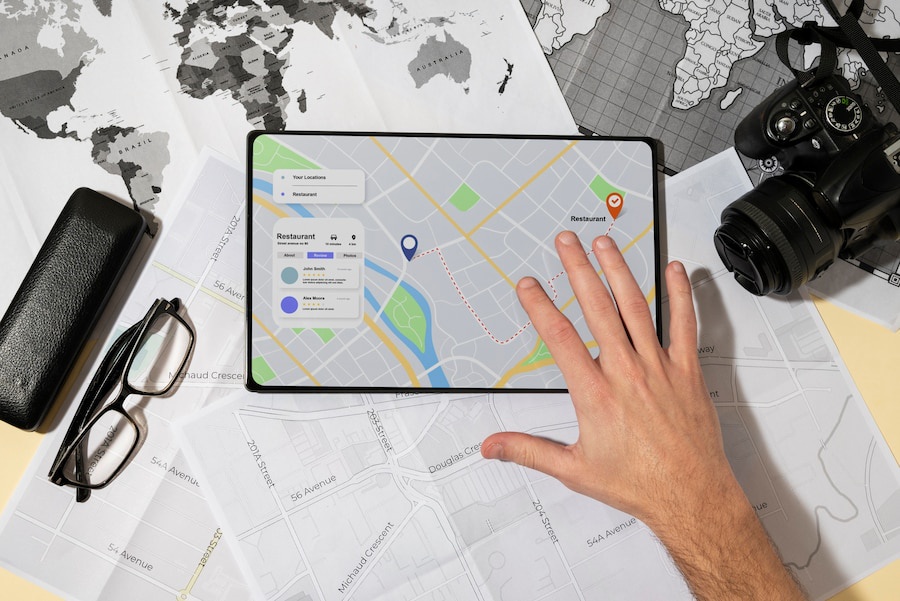
Optimizing your Google My Business (GMB) profile is a powerful way to boost your local SEO, and using GMB management services can simplify this process. These services help you leverage essential GMB hacks to enhance your visibility in local searches, drive more traffic, and attract potential customers. Waterbox Media explores some effective Google My Business hacks that can take your local SEO strategy to the next level.
Setting Up Your Google Business Profile
Setting up a Google My Business profile forms the foundation for enhancing local visibility. A well-structured profile increases engagement and attracts more customers. The setup process involves several crucial steps that ensure your business stands out in local searches.
Google My Business serves as a powerful tool for local businesses seeking to enhance visibility. A well-optimized profile can significantly boost customer engagement. Businesses with more than 100 photos on their profiles receive 520% more calls and 1,065% more website clicks.
Claiming and Verifying Your Business
Claiming your business on Google My Business establishes your presence on Google Maps and Search. This step confirms that your business exists and allows you to manage your profile. You must visit the Google My Business website and search for your business name. If your business appears, select it and follow the prompts to claim ownership. If not, create a new listing by entering your business details.
Verification proves that your business is legitimate. Google offers several verification methods, such as postcard, phone, or email. Choose the method that suits your preference. Once verified, you gain full control over your business information. This control enables you to update details, respond to reviews, and track insights about your listing’s performance.
Completing Your Business Information
Completing your business information ensures potential customers have all the necessary details. Start by filling out your business name, address, and phone number (NAP). Consistency in NAP across all platforms prevents customer confusion. Add your website URL to direct customers to your site for more information.
Include your business hours to inform customers when you are open. Accurate hours prevent frustration and improve customer satisfaction. Describe your business using keywords that reflect your services and products. This description helps customers understand what you offer and improves search visibility.
High-quality photos enhance your profile’s appeal. Photos showcase your products, services, and premises. Businesses with more than 100 photos receive significantly more calls and website clicks. Regularly update your photos to keep your profile fresh and engaging.
Choosing the Right Categories
Choosing the right business categories is essential for appearing in relevant local searches. Categories define what your business offers and help Google match your profile with customer queries. Select a primary category that best represents your business. Add additional categories to cover other aspects of your services.
Attributes provide further details about your business. Attributes like ‘wheelchair accessible’ or ‘free Wi-Fi’ cater to specific customer needs. These details enhance your profile’s appeal and attract a broader audience. Regularly review and update your categories and attributes to reflect any changes in your business offerings.
By following these steps, you lay a strong foundation for your Google My Business profile. A complete and accurate profile increases visibility and attracts more customers. Implement these strategies to optimize your profile and boost your local presence.
To learn about GMB geotagging, check out our article “Google My Business Geotagging: Boost SEO with GPS Photo Tags.”
Hacks for Local Business Profile Optimization
Optimizing your Google My Business profile can significantly enhance your local visibility. Implementing effective strategies will help you stand out in local searches and attract more customers. The following Google My Business hacks focus on profile optimization to maximize engagement and visibility.
Adding High-Quality Photos
High-quality photos play a crucial role in attracting potential customers. Images provide a visual representation of your business, products, and services. Customers often rely on visuals to make purchasing decisions. Businesses with more than 100 photos experience a substantial increase in calls and website clicks. A case study revealed that refining a Google My Business profile with high-quality images led to a significant increase in profile views, calls, and site visits.
To optimize your profile with photos, follow these steps:
- Capture Diverse Images: Include photos of your storefront, interior, products, and team. Diverse images give customers a comprehensive view of your business.
- Maintain Image Quality: Use high-resolution images to ensure clarity and professionalism. Blurry or pixelated photos can deter potential customers.
- Update Regularly: Refresh your photo gallery with new images to keep your profile engaging. Seasonal updates or showcasing new products can maintain customer interest.
Writing a Compelling Business Description
A compelling business description communicates your unique selling points and attracts more customers. The description provides an opportunity to highlight what sets your business apart. A well-crafted description improves search visibility and informs potential customers about your offerings.
Consider the following tips for writing an effective business description:
- Use Keywords Strategically: Incorporate relevant keywords that reflect your services and products. Keywords improve your profile’s search ranking and visibility.
- Highlight Unique Features: Emphasize what makes your business special. Unique features can include exceptional customer service, exclusive products, or a convenient location.
- Keep It Concise: Aim for a clear and concise description. Avoid jargon or overly complex language that may confuse readers.
Utilizing Attributes and Highlights
Attributes and highlights provide additional information about your business. These details cater to specific customer needs and enhance your profile’s appeal. Attributes such as ‘wheelchair accessible’ or ‘free Wi-Fi’ can attract a broader audience.
To effectively utilize attributes and highlights, consider the following:
- Select Relevant Attributes: Choose attributes that accurately represent your business offerings. Relevant attributes improve your profile’s relevance in local searches.
- Regularly Update Attributes: Review and update your attributes to reflect any changes in your business. Keeping attributes current ensures accurate information for potential customers.
- Leverage Highlights: Use highlights to showcase promotions, events, or special offers. Highlights can capture customer attention and drive engagement.
Implementing these Google My Business hacks for profile optimization will enhance your local visibility and attract more customers. A well-optimized profile increases engagement and improves search ranking. By focusing on high-quality photos, a compelling business description, and relevant attributes, you can maximize the effectiveness of your Google My Business profile.
To learn about GMB lead generation, check out our article “Google My Business Lead Generation: How to Generate Leads Using Google.”
Engaging With Customers Through Google Business Profile SEO and Reviews
Engaging with customers through Google My Business enhances local visibility. Interaction builds trust and loyalty among potential customers. Businesses that actively engage with customers often see increased foot traffic and sales. Google My Business offers several features to facilitate customer engagement.
Responding to Reviews
Responding to reviews plays a crucial role in customer engagement. Reviews provide valuable feedback about your business. Positive reviews enhance your reputation and attract new customers. Negative reviews offer opportunities for improvement. Addressing both types of reviews shows that you value customer opinions.
- Acknowledge Positive Feedback: Thank customers for their positive comments. Express gratitude for their support and encourage them to return.
- Address Negative Feedback: Apologize for any inconvenience caused. Offer solutions or compensation if appropriate. Demonstrating a willingness to resolve issues can turn dissatisfied customers into loyal patrons.
- Maintain Professionalism: Use polite and respectful language. Avoid defensive or confrontational responses. Professionalism reflects well on your business and encourages more reviews.
Realtors have done a phenomenal job of utilizing GMB to its fullest potential. They quickly understood the importance of reputation. Responding to customer reviews is a key aspect of this strategy.
Using the Q&A Feature
The Q&A feature on Google My Business allows direct interaction with customers. Customers can ask questions about your products, services, or policies. Providing prompt and accurate answers builds trust and confidence.
- Monitor Questions Regularly: Check for new questions frequently. Timely responses show that you are attentive and responsive.
- Provide Clear Answers: Use simple and concise language. Ensure that answers are accurate and informative. Clear communication prevents misunderstandings.
- Encourage Customer Participation: Invite customers to ask questions. Encourage them to share their experiences. Engaging with customers creates a sense of community and fosters loyalty.
Utilizing the Q&A feature effectively enhances customer interaction. Realtors have leveraged this tool to address inquiries and build relationships with clients.
Encouraging Customer Interaction
Encouraging customer interaction increases engagement and visibility. Active participation from customers boosts your profile’s appeal. Google My Business offers several ways to promote interaction.
- Create Engaging Posts: Share updates, promotions, or events. Use compelling visuals and catchy headlines. Engaging content captures attention and encourages sharing.
- Invite Reviews and Feedback: Ask satisfied customers to leave reviews. Encourage them to share their experiences with others. Positive reviews enhance credibility and attract new customers.
- Promote Special Offers: Highlight exclusive deals or discounts. Use call-to-action phrases to prompt immediate response. Special offers incentivize customers to visit your business.
Google My Business hacks for customer engagement include responding to reviews, using the Q&A feature, and encouraging interaction. These strategies improve local visibility and attract more customers. Implement these hacks to enhance your Google My Business profile and boost your business success.
Optimized Google Business Profile Features and Services for Website Visibility
Google My Business offers several features that can enhance your business’s local visibility. Utilizing these features effectively can help you attract more customers and improve your business’s online presence. By leveraging these tools, you can ensure that your business stands out in local searches and engages with potential customers.
Creating Posts and Updates
Creating posts and updates on Google My Business allows you to share important information with your audience. Regular posts keep your profile active and engaging, which can lead to increased visibility. Customers appreciate businesses that communicate frequently and transparently.
- Share News and Events: Announce upcoming events, new product launches, or any significant changes in your business. Keeping customers informed fosters a sense of community and trust.
- Highlight Promotions: Use posts to promote special offers or discounts. Highlighting promotions can attract new customers and encourage repeat visits.
- Use Visuals: Include images or videos in your posts to capture attention. Visual content is more engaging and can lead to higher interaction rates.
Consistent posting demonstrates that your business is active and responsive. Customers are more likely to engage with businesses that regularly update their profiles. Google My Business hacks like creating posts can significantly enhance your local visibility.
Utilizing Google My Business Insights
Google My Business Insights provides valuable data about how customers interact with your profile. Understanding this data can help you make informed decisions to improve your business’s visibility. Insights offer information on customer actions, search queries, and profile views.
- Analyze Customer Actions: Review data on how customers interact with your profile. Actions include website visits, direction requests, and phone calls. Understanding these actions helps you identify areas for improvement.
- Identify Search Queries: Discover what search terms customers use to find your business. Identifying popular queries can guide your SEO strategy and improve search visibility.
- Monitor Profile Views: Track the number of views your profile receives over time. Monitoring views helps you assess the effectiveness of your Google My Business hacks.
Utilizing insights allows you to tailor your strategies to meet customer needs. Data-driven decisions can lead to increased engagement and improved visibility. Google My Business hacks like analyzing insights can provide a competitive edge.
Setting Up Messaging
Setting up messaging on Google My Business enables direct communication with customers. Messaging offers a convenient way for customers to ask questions or request information. Businesses that respond promptly to messages often see increased customer satisfaction.
- Enable Messaging: Activate the messaging feature in your Google My Business account. Enabling messaging allows customers to contact you directly through your profile.
- Respond Promptly: Aim to respond to messages quickly and professionally. Prompt responses demonstrate that you value customer inquiries and are attentive to their needs.
- Provide Clear Information: Use messaging to provide accurate and concise information. Clear communication helps prevent misunderstandings and builds trust.
Messaging enhances customer interaction and can lead to higher engagement rates. Customers appreciate businesses that offer convenient communication options. Google My Business hacks like setting up messaging can improve your business’s local visibility.
Leveraging Google My Business features effectively can significantly enhance your local visibility. By creating posts, utilizing insights, and setting up messaging, you can engage with customers and improve your business’s online presence. Implement these Google My Business hacks to boost your visibility and attract more customers.
Advanced GMB Hacks for Local SEO
Google My Business offers advanced hacks that can significantly boost local SEO efforts. These strategies provide businesses with the tools needed to enhance visibility and attract more local customers. Implementing these hacks can lead to improved search rankings and increased customer engagement.
Integrating Google My Business With Other SEO Efforts
Integrating Google My Business with other SEO efforts creates a powerful synergy. Businesses can achieve better search rankings and visibility by combining different strategies. Google My Business provides actionable data through its dashboard, offering key business metrics that can inform broader SEO strategies.
- Utilize Google My Business Insights: Use insights to understand customer interactions. This data helps identify popular search queries and customer behaviors. Businesses can tailor their SEO strategies based on these insights to improve search visibility.
- Coordinate with On-Page SEO: Ensure that website content aligns with Google My Business information. Consistency in keywords and descriptions enhances search engine understanding. This alignment boosts local search rankings.
- Leverage Customer Reviews: Encourage satisfied customers to leave reviews. Positive reviews improve credibility and influence search rankings. Businesses should respond to reviews to show engagement and build trust.
- Incorporate Local Keywords: Use local keywords in both Google My Business and website content. Local keywords help businesses appear in relevant searches. This strategy attracts more local customers.
Google My Business plays a critical role in local SEO. The platform supports local businesses by providing valuable insights and enhancing visibility. Other local SEO tools may not offer the same level of support and data integration.
Monitoring and Analyzing Performance
Monitoring and analyzing performance is essential for optimizing Google My Business. Businesses can make informed decisions by understanding how customers interact with their profiles. Google My Business Insights offers valuable data that can guide optimization efforts.
- Track Customer Actions: Analyze data on customer actions such as website visits, direction requests, and phone calls. Understanding these actions helps identify areas for improvement.
- Review Search Queries: Identify the search terms customers use to find the business. Popular queries can guide SEO strategies and improve search visibility.
- Monitor Profile Views: Track the number of views the profile receives over time. Monitoring views helps assess the effectiveness of optimization efforts.
- Evaluate Engagement Metrics: Review metrics related to customer engagement, such as post interactions and review responses. High engagement indicates a well-optimized profile.
Google My Business provides a convenient dashboard for monitoring performance. The insights offered by the platform help businesses understand customer behavior and optimize their profiles accordingly. Other local SEO tools may not provide the same level of detailed insights.
Staying Updated With Google My Business Changes
Staying updated with Google My Business changes is crucial for maintaining visibility. Google frequently updates its platform, introducing new features and functionalities. Businesses must stay informed to take advantage of these updates.
- Follow Google Announcements: Keep an eye on official Google announcements. These updates often introduce new features or changes to existing functionalities.
- Join Online Communities: Participate in online communities and forums related to Google My Business. These platforms provide valuable insights and tips from other users.
- Subscribe to Industry Newsletters: Subscribe to newsletters from industry experts. These newsletters often cover the latest updates and trends in local SEO.
- Experiment with New Features: Test new features as they become available. Experimentation helps businesses understand how these features can enhance their profiles.
Google My Business constantly evolves to meet the needs of local businesses. Staying updated ensures that businesses can leverage new features to improve visibility and engagement. Other local SEO tools may not offer the same level of innovation and adaptability.
Implementing advanced Google My Business hacks can significantly enhance local SEO efforts. By integrating Google My Business with other SEO strategies, monitoring performance, and staying updated with changes, businesses can improve their search rankings and attract more local customers. These hacks provide a competitive edge in the ever-evolving landscape of local SEO.
Google My Business Hacks and Features – Conclusion
Optimizing your Google My Business profile plays a crucial role in enhancing local visibility. A well-optimized profile amplifies visibility and improves user engagement. Businesses can attract and retain a larger audience by providing comprehensive information, captivating visuals, and seamless interaction opportunities. Implementing the discussed hacks will lead to increased customer inquiries and website traffic. Proper optimization sends signals to Google to rank you higher in local results, leading to more visibility and engagement. Start applying these strategies today to see tangible improvements in your business’s local presence.
Frequently Asked Questions: FAQs About Essential GMB Hacks, Services, Products
What Are Some Google My Business Hacks to Boost Local SEO?
Using Google My Business hacks, such as optimizing your GMB profile with relevant keywords, leveraging Google Posts, and encouraging positive Google reviews, can significantly boost your local SEO and help your business attract more customers.
How Can a Web Design Company Use Google Business Profile?
A web design company can use its Google Business Profile to showcase past projects, gather positive customer reviews, and provide valuable information about its services, which can enhance its digital marketing efforts and attract more local clients.
How Can GMB Insights Help Improve Your Digital Marketing Strategies?
GMB Insights provide valuable data on how customers find and interact with your business profile. By analyzing this data, businesses can refine their digital marketing strategies, focus on effective channels, and better meet customer needs.
What Are Effective Digital Marketing Strategies to Boost SEO for E-Commerce Success?
Effective strategies to boost SEO using your GMB profile include optimizing your business description, regularly updating your business hours, leveraging Google Posts to share updates and promotions, and adding high-quality photos that engage potential customers.
What Is the Role of Digital Marketing and Social Media Marketing?
Social media marketing can complement your Google Business Profile by driving traffic to your GMB profile, increasing brand awareness, and engaging customers across multiple platforms, which can enhance your overall digital presence.
How Can Danstring Technologies Help Businesses Optimize Their GMB Profile?
Danstring Technologies can help businesses optimize their GMB profile by offering expert guidance on using Google My Business hacks, implementing effective SEO strategies, and managing digital marketing campaigns to improve local search rankings.
How Can You Leverage Google Posts?
Leveraging Google Posts allows businesses to share timely updates, promotions, events, and offers directly on their GMB profile, keeping customers informed and engaged, which can improve local SEO success and drive more foot traffic.
What Role Do Google Reviews Play in the Success of Your Profile?
Google reviews play a critical role in the success of your GMB profile by influencing customer trust and decision-making. Encouraging satisfied customers to leave positive reviews and promptly addressing any negative feedback can enhance your business’s reputation and improve local SEO.