
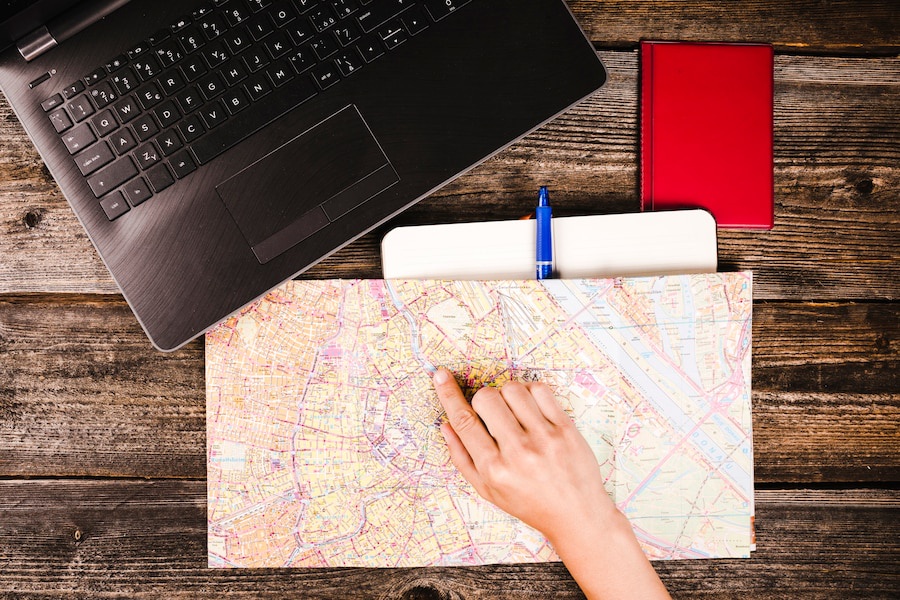
Effective GMB management services are crucial for optimizing your business’s local SEO, and geotagging plays a significant role in this process. By strategically using Google My Business geotagging, businesses can enhance their visibility in local searches and attract more customers from their surrounding areas. Waterbox Media explores how geotagging your GMB profile can boost your local SEO success.
Why Does Google My Business Matter?
Google My Business plays a crucial role in enhancing local SEO. Businesses use geotagging to define precise locations, which helps search engines understand where a business operates. This understanding boosts the online presence of businesses by providing location-specific data. The section below will delve into the details of geotagging and its benefits for local SEO.
What is Geotagging?
Geotagging involves adding geographical information to digital content. Businesses often use geotagging to mark their exact location on digital platforms. This process helps search engines and users identify the physical location of a business. Google My Business geotagging uses this concept to improve local search visibility.
Definition and Explanation
Geotagging refers to the process of embedding geographical data into photos, videos, or other media. This data usually includes coordinates such as latitude and longitude. Businesses use geotagging to enhance their digital content with precise location information. Google My Business geotagging involves tagging business-related media with location data. This tagging helps search engines categorize and display content based on location relevance.
How it Works in Google My Business
Google My Business geotagging works by associating media files with specific geographical locations. Businesses upload geotagged photos and videos to their Google My Business profiles. These geotags inform Google about the business’s location, improving search accuracy. When users search for local businesses, Google uses geotagged data to provide relevant results. This process enhances the visibility of businesses in local search results.
Benefits of Geotagging for Local SEO
Google My Business geotagging offers several benefits for local SEO. Businesses can significantly improve their online presence through effective geotagging. The following sections highlight the key advantages of geotagging for local SEO.
Increased Visibility in Local Search Results
Geotagging increases a business’s visibility in local search results. Businesses that use geotagged content appear more prominently in search engine results. Search engines prioritize geotagged content when displaying local search results. This prioritization helps businesses reach potential customers searching for nearby services. Google My Business geotagging ensures that businesses appear in relevant local searches.
Enhanced Customer Engagement
Geotagging enhances customer engagement by making businesses more accessible. Customers find it easier to locate businesses with geotagged content. Geotagged photos and videos improve user experience by providing clear location information. This clarity encourages customers to interact with businesses. Google My Business geotagging fosters stronger connections between businesses and their local communities.
Common Misconceptions about Geotagging
Several misconceptions surround Google My Business geotagging. These misconceptions often deter businesses from utilizing geotagging effectively. The following sections address common myths and concerns about geotagging.
Myths vs. Facts
Many believe that geotagging is unnecessary for small businesses. However, geotagging provides significant benefits regardless of business size. Some think that geotagging invades privacy, but businesses control what data they share. Others assume that geotagging requires advanced technical skills. In reality, tools like GeoImgr simplify the geotagging process. Google My Business geotagging offers practical advantages without compromising privacy.
Addressing Common Concerns
Businesses often worry about the complexity of geotagging. Concerns about data accuracy and privacy also arise. However, tools like GeoImgr ensure precise geotagging with user-friendly interfaces. Businesses can manage geotagged data securely and accurately. Google My Business geotagging addresses these concerns by providing reliable and straightforward solutions.
To learn about GMB hacks, check out our article “Google My Business Hacks for Enhanced Local Visibility.”
Implementing Precision Location Targeting for Your GMB Listing Rank Higher
Implementing precision location targeting in Google My Business geotagging can significantly enhance your local SEO efforts. This process involves setting up your profile accurately, adding geotags effectively, and continuously monitoring your strategy for improvements. By following these steps, you can ensure that your business reaches the right audience with pinpoint accuracy.
Setting Up Your Google My Business Profile
A well-structured Google My Business profile forms the foundation of effective geotagging. Accurate setup ensures that your business information aligns with search engine requirements.
Step-by-step Guide
- Create or Claim Your Business Listing: Visit the Google My Business website. Sign in with your Google account. Follow the prompts to create a new listing or claim an existing one.
- Enter Accurate Business Information: Provide your business name, address, phone number, and website. Ensure that this information matches other online listings for consistency.
- Select Appropriate Business Categories: Choose categories that best describe your business. This helps Google understand what services you offer.
- Verify Your Business: Google requires verification to confirm your business’s legitimacy. Follow the instructions provided to complete this step.
- Add Photos and Videos: Upload high-quality images and videos that represent your business. Use geotagged media to enhance location accuracy.
Best Practices for Accuracy
- Consistency is Key: Ensure that all business information remains consistent across platforms. Inconsistencies can confuse search engines and customers.
- Use Precise Location Data: Double-check your address and map location for accuracy. Incorrect data can lead to misplaced search results.
- Regularly Update Information: Keep your profile updated with any changes in business hours, contact details, or services offered.
Adding Geotags to Your Business Listing
Geotagging involves embedding location data into your digital content. This step enhances your Google My Business geotagging strategy by providing precise location information to search engines.
Tools and Techniques
- GeoImgr: Use GeoImgr to add geotags to your photos. Upload your image, search for your business location, and apply the correct latitude and longitude.
- Photo Mechanic: Utilize Photo Mechanic for advanced geotagging. This software allows you to place images directly on Google Maps.
- Manual GPS Tagging: Enable GPS on your device when capturing photos. This automatically embeds location data into your images.
Tips for Effective Geotagging
- Ensure High-Quality Images: Use clear and professional photos. High-quality images enhance user experience and credibility.
- Include Relevant Keywords: Add city names and relevant keywords in photo captions. This increases local relevance in search results.
- Optimize File Formats: Use JPG or PNG formats with a resolution of 720 px by 720 px. This ensures compatibility with Google My Business requirements.
Monitoring and Adjusting Your Strategy
Continuous monitoring of your Google My Business geotagging strategy is essential for sustained success. Analyze performance metrics and make data-driven adjustments to optimize your local SEO efforts.
Analyzing Performance Metrics
- Track Customer Interactions: Monitor how customers engage with your profile. Look at views, clicks, and calls to gauge interest.
- Evaluate Search Visibility: Check your business’s appearance in local search results. Use tools like Google Analytics for detailed insights.
- Assess Review Impact: Analyze the effect of customer reviews on your profile’s performance. Positive feedback can boost visibility and credibility.
Making Data-Driven Adjustments
- Refine Geotagging Techniques: Adjust your geotagging methods based on performance data. Experiment with different tools and techniques for optimal results.
- Update Content Regularly: Refresh your photos and videos periodically. New content keeps your profile engaging and relevant.
- Respond to Customer Feedback: Address customer reviews promptly. Engaging with feedback fosters trust and improves your online reputation.
To learn about the GMB checklist, check out our article “Google My Business Checklist for Google My Business Optimization.”
Advanced Tips for Maximizing Local Search Engine Ranking
Enhancing local SEO requires strategic actions that go beyond basic geotagging. Businesses must leverage customer reviews, utilize local keywords, and engage with the local community. These advanced tips will help businesses maximize their local SEO efforts and improve their online visibility.
Leveraging Customer Reviews
Customer reviews play a vital role in local SEO. Positive feedback can significantly boost a business’s reputation and search engine ranking. Responding to reviews effectively also fosters trust and engagement with customers.
Encouraging Positive Feedback
Encouraging customers to leave positive feedback is essential. Businesses should ask satisfied customers to share their experiences online. Providing excellent service increases the likelihood of receiving positive reviews. Offering incentives, such as discounts or promotions, can motivate customers to leave feedback. Displaying review links prominently on websites and social media platforms makes it easier for customers to share their opinions.
Responding to Reviews Effectively
Responding to customer reviews demonstrates attentiveness and commitment to customer satisfaction. Businesses should thank customers for their feedback and address any concerns promptly. Acknowledging positive reviews reinforces customer loyalty. Addressing negative reviews professionally and constructively can turn dissatisfied customers into loyal advocates. Consistent engagement with reviews enhances a business’s online reputation and credibility.
Utilizing Local Keywords
Local keywords are crucial for improving search engine visibility. Researching relevant keywords and incorporating them into business listings can attract more local customers.
Researching Relevant Keywords
Researching local keywords involves identifying terms that potential customers use to find businesses. Tools like Google Keyword Planner and SEMrush provide insights into popular search terms. Businesses should focus on location-specific keywords that reflect their services and target audience. Analyzing competitors’ keywords can also reveal valuable opportunities for optimization.
Incorporating Keywords into Your Listing
Incorporating local keywords into business listings enhances search engine relevance. Businesses should include keywords in their business name, description, and categories. Using keywords in photo captions and alt text further boosts local SEO. Consistent keyword usage across all online platforms strengthens a business’s search engine presence.
Engaging with the Local Community
Engaging with the local community builds strong relationships and enhances a business’s local SEO. Building partnerships and participating in local events foster connections and increase visibility.
Building Partnerships
Building partnerships with local businesses and organizations creates mutually beneficial relationships. Collaborating on promotions or events can expand a business’s reach and attract new customers. Cross-promoting each other’s services increases exposure and credibility. Partnerships with local influencers or bloggers can also enhance a business’s online presence.
Participating in Local Events
Participating in local events showcases a business’s commitment to the community. Sponsoring or hosting events increases brand awareness and attracts potential customers. Engaging in community activities demonstrates social responsibility and fosters goodwill. Sharing event participation on social media and business listings boosts local SEO by highlighting community involvement.
By implementing these advanced tips, businesses can maximize their local SEO efforts and achieve greater success in reaching their target audience.
Google My Business Geotagging: Geotag Photos for Organic Search – Conclusion
Geotagging and precision location targeting play a crucial role in local SEO. These strategies enhance your business’s visibility and engagement. Geotagging embeds geographical metadata into media, which boosts local SEO traffic. Precision location targeting ensures that your business connects with the right audience. Implement these strategies to improve your local search presence. Stay competitive by continuously refining your approach. Embrace geotagging to elevate your business’s online presence.
Frequently Asked Questions: FAQs About Google My Business Geotagging
How Does Google My Business Geotagging Influence Rankings?
Geotagging on Google My Business can positively influence your local search rankings by associating your business with specific geographic locations, making it easier for local customers to find you.
Can Adding Keywords to Image Filenames Help Improve GMB Ranking?
Yes, adding relevant keywords to image filenames can help improve your Google My Business ranking by providing additional context to search engines about the content and relevance of the images to your business.
How Do I Geotag Photos on My Google My Business Account?
To geotag photos on your Google My Business account, upload images with embedded location data or use tools that allow you to add geotags manually, helping link your photos to specific geographic locations.
Does Geotagging Photos Influence Ranking on Google My Business?
Geotagging photos can influence ranking on Google My Business by enhancing local SEO, as it helps Google understand the geographical relevance of your business and improves visibility in local search results.
What Role Do Schema Pins Play in Influencing Rankings?
Schema Pins can influence rankings by providing structured data that helps search engines better understand the content and location of your business, improving the accuracy and relevance of search results.
How Can Sterling Sky’s Insights Help With Google My Business Geotagging?
Sterling Sky’s insights can provide valuable information on the latest best practices for Google My Business geotagging, helping businesses optimize their local SEO strategies and improve their visibility in local search results.
Can Circleboom Publish Be Used to Upload Geotagged Photos to Google My Business?
Yes, Circleboom Publish can be used to upload geotagged photos to your Google My Business account, streamlining the process of managing and optimizing your local SEO efforts with location-specific content.
How Can I Use a Meta Description to Enhance My Google My Business Listing?
While Google My Business doesn’t use traditional meta descriptions, crafting compelling descriptions for your business profile can attract more clicks and improve engagement, indirectly influencing your ranking and visibility.